
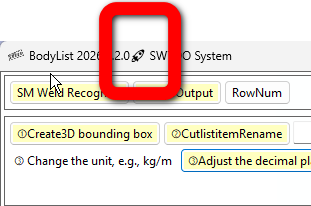
How to upgrade SWTDO
Download the new version, double-click on ‘setup. exe’ to overwrite the installation, please do not perform any other redundant actions
How to upgrade SWTDODT (template)
How to upgrade the database
https://www.mezbw.com/thread-11842-1-1.html
Do all the actions above need to be done?
No. We will provide instructions for the operations you need to perform. Please skip any items not specifically mentioned in the “Details” below
Regarding [Low-level Repair]
Low-level repairs often involve ensuring the normal operation of numerous tool commands,
Details:
- Fix: The merged geometry of the universal importer fails to merge in subassemblies above level 2
- Repair, backup system primary key number retrieval
- Optimize and encapsulate the startup process of all forms
- Fix, version number display
- Fix, fix the annotation of text in the three-view drawing
- Repair, redundant backup of the database
- Robust, automatic upgrade of repeatedly installed databases (Previously, TDO had several upgrades that required users to perform database initialization. In the future, there may be no such requirements, allowing users to safely use the storage function of the database)
- Robust, initiate process adjustments, and adjust the startup of all independently running components
- Adjustment, view annotation, interface redo, some methods redo
- Fix: In SW2026, the API for extracting sheet metal properties has been downgraded, which is another bug to avoid freezing the sheet metal output startup
- Bottom level fix, two save commands, API downgrade to avoid crashes below sw2020