
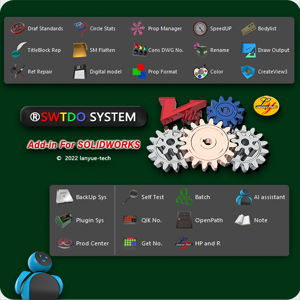
Faster design, earlier delivery
The Shortcut to Perfect Drawings — Get It Today
Stop Manual Repetition. Start Batch Automation.
How It Works
- Click here to download and install Setup. exe
- Start Solidworks - Tools - SWTDO System Initialization
compatibility
- Compatible with SolidWorks:2019-2026
- Supports Windows:win 10 & Windows 11
- Support Chinese, English, and Japanese
Resources
- Online Manual (Mobile-Friendly & Illustrated)
- Video Tutorials (Command Demos & Project Applications)
SWTDO vs Legacy Add-in
Compare the value, performance, and simplicity.
| Feature / Metric | Legacy Plugins | SWTDO Professional Recommended |
|---|---|---|
| Core Methodology | General Utility | High-Speed Logic Automation |
| Purchase Experience | Request a Quote (Wait 24-48h) | Instant Buy & Activation (5 Mins) |
| Smart BOM Logic | Standard Property Export | Bi-directional Data Sync — One change, everywhere updated |
| Drawings | Template-Driven | Auto Dimension, Auto BOM, Auto Cut List, Auto Flatten, Auto Multibody |
| Support | Reseller Ticket System | Direct Developer-to-Engineer Support |
Choose the Plan That Fits You
Monthly Plan
- ✅ Internet Required
- ✅ Unlimited Computers
- ✅ Free Updates
Best for Trial
Yearly Plan
- ✅ Internet Required
- ✅ Unlimited Computers
- ✅ Free Updates
- 💰 Save 20% on monthly payments
Most Popular
Node-Locked
- ❌ No Internet Required
- ✅ Locked to One Computer
- ✅ Free Updates
For Offline Users
Always-Online Perpetual Plan
- ✅ Internet Required
- ✅ Unlimited Computers
- ✅ Free Updates
Best for Solo Entrepreneurs / One-Person Companies
Product Features
⚙️ Batch Processing
6 Categories of Batch Processing: Assembly components, path components, part entities, assembly cut lists, part faces, and drawing views.One button saves you at least 30 minutes of work.🌍 Universal Compatibility
If you use SolidWorks, no matter what industry you're in, every tool is relevant to you.📐 Formatting
Versatile template-based customization — batch output formatted according to your company's rules.Whatever you need, TDO delivers it.👥 Team Sharing
TDOServer tool enables company-wide unified output management — configure once, share with the entire team.🚀 Extensibility
The External System supports any mechanical design software or file, including macros — virtually unlimited functionality expansion.SWTDO vs Legacy Add-in
Compare the value, performance, and simplicity.
| Feature / Metric | Legacy Plugins | SWTDO Professional Recommended |
|---|---|---|
| Core Methodology | General Utility | High-Speed Logic Automation |
| Purchase Experience | Request a Quote (Wait 24-48h) | Instant Buy & Activation (5 Mins) |
| Smart BOM Logic | Standard Property Export | Bi-directional Data Sync — One change, everywhere updated |
| Drawings | Template-Driven | Auto Dimension, Auto BOM, Auto Cut List, Auto Flatten, Auto Multibody |
| Support | Reseller Ticket System | Direct Developer-to-Engineer Support |
Frequently Asked Questions
1. Can I try it for free?
Yes. Click here to download and then register via email to start a full feature trial without the need for a credit card.
2. How do I purchase?
Please add to the shopping cart for checkout. If there are any issues during the shopping process, payment can be made through the following methods. Please provide your email address.
① https://PayPal.me/swtdo
② https://Payhip.com/swtdo
3. What if my computer can't connect to the internet ?
Please purchase the Node-Loked version. After activation, it can be used without an internet connection.
4. Is it safe to install? Will it slow down my SolidWorks?
Built with pure VB.NET programming, SWTDO is a fully integrated SolidWorks Add-in. As documented in the official SolidWorks Help, an integrated add-in theoretically runs up to 40 times faster than an external standalone (API interface) application, ensuring seamless operation without sacrificing SolidWorks performance
5. How to proceed after payment?
- Node-Loked version: Launch SolidWorks → Guidance & Activation → Register this computer → Send machine code → Wait for email → Enter activation code.
- Time-Based version: No action required; we will process your request within 24 hours.
🛡️7-day no-questions-asked money-back guarantee
dissatisfied? For the online version, we offer a full refund within 7 days without any reason
By downloading and installing this software, you agree to be bound by our End User License Agreement (EULA). Please read it carefully before installing
Anonymous –
That’s brilliant!
Anonymous –
Sorry, we are currently relying on Google and there may be some translation issues. However, our update frequency is extremely high, please look forward to our improvements
Anonymous –
Rất tốt, rất tốt.
Anonymous –
This isn’t actually AI, is it? Still, it saves me so much time. You guys really should’ve fixed that registration bug way earlier.
Anonymous –
It’s a bit difficult to understand, how to edit the template?
Sutton, Emma –
Quite good, value for money
Anonymous –
Take my money.
Anonymous –
不错,非常不错
Anonymous –
Good!
Anonymous –
I’m impressed.
Anonymous –
機能はいいけど、何なんだその翻訳
Anonymous –
Killer feature!
Anonymous –
Bro, the English writing is a bit poor, but fortunately the functionality is still decent
Fernandez, Dale –
Can only use default templates? How can it be used in the company?
halfsmoke –
No, of course you can use your company’s title and title bar. Please modify them according to the default template provided by swtdo
Sullivan, Hunter –
Quickrename, It’s really convenient, even able to handle engineering drawings
halfsmoke –
I am honored to have been of assistance to your design work
halfsmoke –
弊社の翻訳は、しばらくgoogleに頼っていますので、ご理解ください。ソフトウェアの機能を理解している場合は、SW-ツール-SWTDO-言語エディタを使用して、カスタム翻訳を行うことができます。よかったら、翻訳結果を送信していただければ、ソフトウェアにも更新されます。
Simmons, Jason –
Can it only be free for one week? I haven’t figured out how to use it yet
Simmons, Jason –
This is probably the most amazing plugin I’ve ever seen
halfsmoke –
I hope you like it
Anonymous –
Very good
halfsmoke –
It’s already good, and you’re only giving us 1 star?
Anonymous –
Tấm kim loại này xử lý quá nhanh.
Anonymous –
Nếu có thể hỗ trợ tiếng Việt, chúng tôi sẽ mua số lượng lớn
halfsmoke –
Thank you for your trust, but SWTDO is a large software and the language translation work is massive. If you can purchase a portion, we can specifically do a Vietnamese translation for you. If you can provide dedicated translation support, it will accelerate the progress and accuracy
Anonymous –
最强大的一款了,群主高
halfsmoke –
呵呵,还有国内的看呢
Anonymous –
Trước đây có thể mua bằng đồng Việt Nam, sao lại không thể?
halfsmoke –
Vì tiền tệ không thể được trao đổi, xin lỗi, đề nghị thanh toán bằng USD
Anonymous –
nice
Anonymous –
Regarding the BOM for ‘Create3View’, it would be awesome if we could choose the BOM type, such as Top only or Parts only.
halfsmoke –
Well, that makes sense. Please stay tuned for the next version
Fernandez, Dale –
Laser cutting diagram should not display bending lines
Wade, Clifford –
さすがチョウさん、すばらしい
Anonymous –
ベスト
Anonymous –
使い方わかりずらいけれども、すごい!
Anonymous –
Perhaps this is the best SolidWorks plugin
Anonymous –
统计螺丝开孔打点不错
Anonymous –
もっと、もっと