
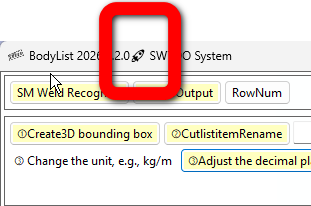
How to upgrade SWTDO
Download the new version, restart Windows (do not start SW), double-click setup. exe, overwrite the installation, please do not perform any other redundant actions
How to upgrade SWTDODT (template)
How to upgrade the database
https://www.mezbw.com/thread-11842-1-1.html
Do all the actions above need to be done?
No. We will provide instructions for the operations you need to perform. Please skip any items not specifically mentioned in the “Details” below
Regarding [Bottom level Repair]
Low-level repairs often involve ensuring the normal operation of numerous tool commands,
Details:
- Optimization: Renaming the cutting list item names for the welding list, no longer using size by default, introducing a file name formula for easier uniqueness, and adding a command to convert to welding list
- Fix, property manager, fix the default values of “file name” and “folder name”, which have historical legacy issues and not everyone has errors. If there are formulas for file and folder names in the standard mode of the property manager, they should be ignored;
- Adjust, optimize and strengthen,
- Create 3D bounding boxes for the welding list, no longer skipping sheet metal
- Fine tune the interface of the cutting list item name statistics table and ensure the uniqueness of renaming the cutting list item names
- Reset cutting list for component acceleration, move to welding list
- Fine tune the interface of the cutting list item name statistics table and ensure the uniqueness of renaming the cutting list item names
- All English and Japanese attributes are realigned
- Add multi-body soldering command
- All English and Japanese attributes are realigned
- Format the cutting list, which will include creating a 3D bounding box
- Obtaining attribute values for sheet metal thickness in the welding list
- The entity output of the cutting list will automatically ensure uniqueness
- Automatically record form size
- Format the cutting list, add quality units, length units, decimal places for quality and length related attributes, and adapt to user settings
- Bottom level repair, manually update cutting list
- Adjust and remove the backup system to ultimately shut down the assembly
- Repair and optimization have been strengthened, with the addition of configuration Mark and multi entity Mark in the attribute manager (which is completely consistent with the universal importer multi body mark). Chinese character attribute names in file names have been fixed, and the method of fixing code names has been fixed. New code for framing attributes, including customization, multi entity Mark, support for different configurations, and different judgments
- Adjustment, multi configuration of digital and analog output, no longer outputting inactive configurations during assembly
- Adjust and strengthen robustness, add global monitoring for upgrading assembly saved files, and monitor every save
- Strengthen, environment self check, add cache detection
- Adjust the cache location of the universal importer and exclude opening cache to environment self-test.
The cache path opened by the environment self-test will occupy the C drive and clear the image folder. It will not affect the program, but only slow down the running speed. The environment self-test can be adjusted by saving it separately
The Ninput folder is the cache of the universal importer, which depends on the status of your project and can be cleared - Adjust, optimize, and strengthen robustness, Prod
1. Add cutting list statistics
2. Adjust the interface
3. SW selection, avoiding virtual compression and lightweighting
4. The export of production files from Prod, the export of production files queried from Prod, and Prod scanning are merged using a unified method
5. Prod has added a preview of all columns. When creating a BOM preview for the first time, the turtle speed will start, but when creating multiple times, the speed will be greatly increased.
6. Adjust the generation positions of all thumbnails
7. Strengthen and add Prod right-click menu: When used as a sub assembly, sub parts will
8. Optimization, Prod、 The window for bolt statistics automatically records the size of the window
9. Optimization, automatic recording of form size
10. Optimization: Enable BOM name retrieval for easy coverage - Optimization, freeze bar for component acceleration, reset cutting list operation mode, new batch processing operation framework
- Robust, intelligent renaming, and code serialization
- Optimization, packaging for environment self inspection
- Strengthen, create three views, set up independent sheet metal cutting lists, save and redo settings, add new fields
- Adjustment: The output file format of Onebyone for sheet metal unfolding conforms to CNV format, but there is still a defect where the quantity cannot be counted
- Fix and strengthen, the ball markings for creating three views are missing, the scale adjustment of some drawings is unreasonable, the configuration of isometric views with multiple configuration drawings is increased, and new configuration options are added
- Adjust and strengthen all functional attributes, modify names, tag multi-body, tag multi configuration, tag line surface, tag recognition, and add some to the attribute manager