A project result cannot be understood only by the designer who created it. The company needs to accumulate knowledge, and the next engineer must be able to understand the work left behind. One practical test for a “standard” is whether a newcomer can use the documented rules to identify a project they did not create.
Data Management Objectives
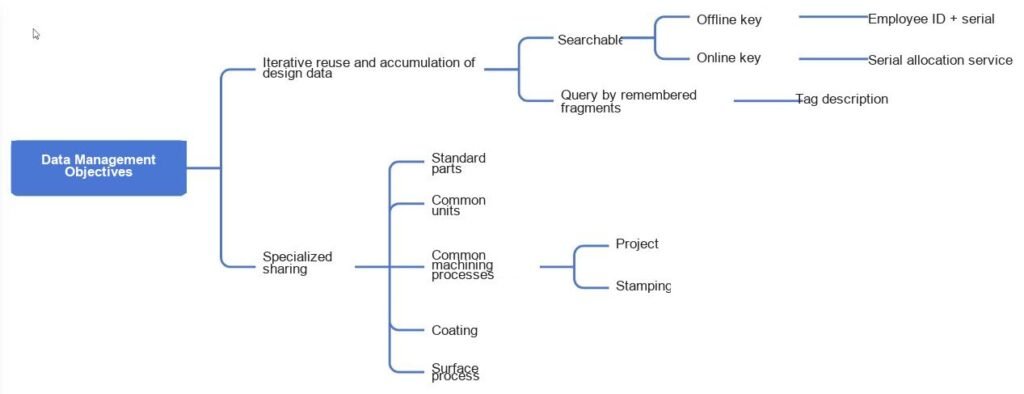
Global Primary Key
Resources created by every employee should accumulate as company resources, not become a data black hole when that employee leaves.
Search and identification are basic requirements, and the most important part of search is the key design. If serial-number distribution depends on a network connection, it is ideal when users can obtain a number while traveling, working from home, on leave, or working overtime. If continuous access is not possible, or a disconnected scenario must be supported, the system also needs a way to create a unique key offline. Employee ID plus serial number, or a UUID, are viable offline keys.
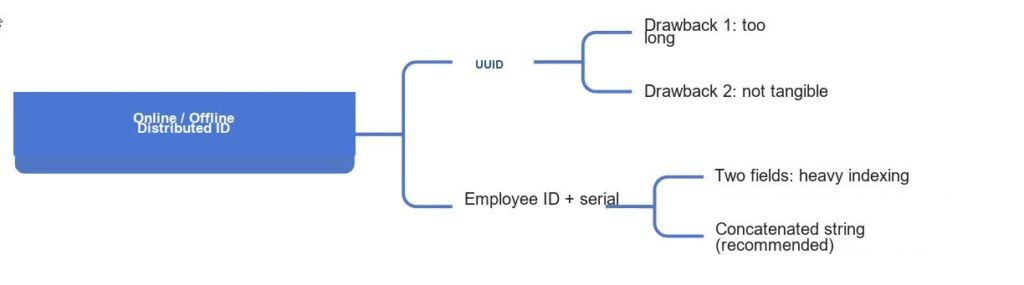
A UUID is a mathematical way to obtain a unique key. Its first drawback is length: 32 characters cannot be communicated verbally and can only be copied. Its second drawback is that it is not concrete.
An employee ID plus serial number has practical meaning; a UUID does not. The only advantage of a UUID is database friendliness: it requires one field.
Employee ID plus serial number uses two fields, and search cost grows significantly in very large databases. Concatenating them into one string retains the practical meaning while using only one field, so this approach is recommended.
Whether a cloud service needs to support a standalone scenario is ultimately a user-satisfaction question. A network service being unavailable without a network is understandable; the real question is whether a valid standalone scenario actually exists.
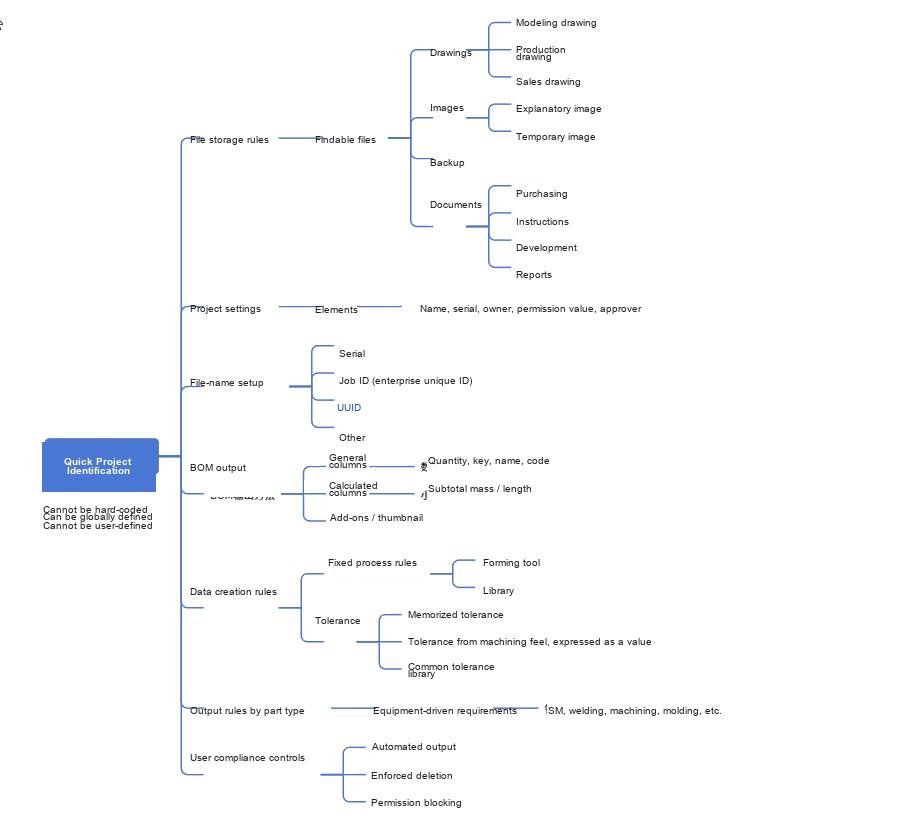
A server provides rules rather than services. People define and execute those rules: definition needs flexibility that fits the work, while execution can be enforced consistently through code.
Project Name Settings
A project name may include a serial number, employee ID, UUID, name, and other information.
Prefix extension: Many companies like to add a company prefix to drawing numbers and other identifiers. For example, “Beijing Lanyue” could use “LY-Project1”. This has little functional value, but it is a common preference.
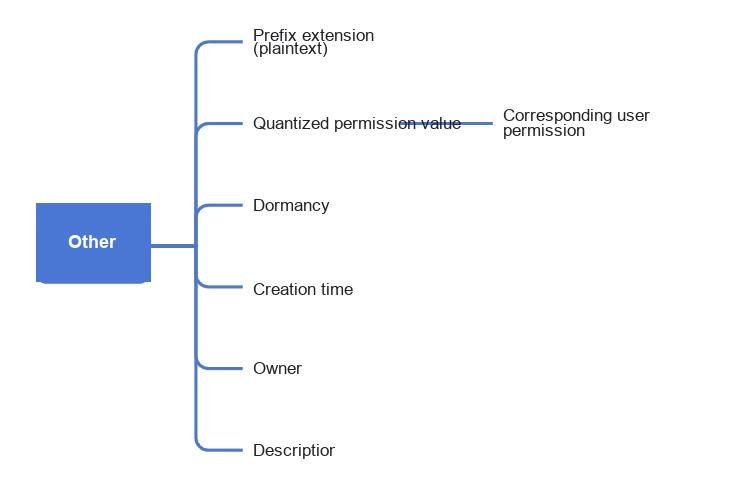
Quantized permission value: This expresses who can read and who can edit. If Project A has a permission value of 80 and User B has 50, User B can edit. This provides a numeric permission model.
Dormancy: This is a technical measure for faster database searches and for compressing data that has not been used for a long time.
Creation time, owner, and description use their literal meanings and do not require further explanation.
Database implementation: Plain data includes the primary key, employee ID plus serial number, prefix extension, and name. Encrypted data includes permissions, dormancy, creation time, owner, and description.

File Storage Rule: Findable Files
Create a fixed folder structure for each project. In a standalone environment, folders are the most intuitive identification method.
- Keep the hierarchy fixed and as flat as possible so anyone can find the target at a glance.
- The administrator defines which folders are required.
- Except for folders required technically, administrators may delete or rename folders.
- Once the rules are defined, code creates the structure automatically, reducing arbitrary folders that outsiders cannot locate.
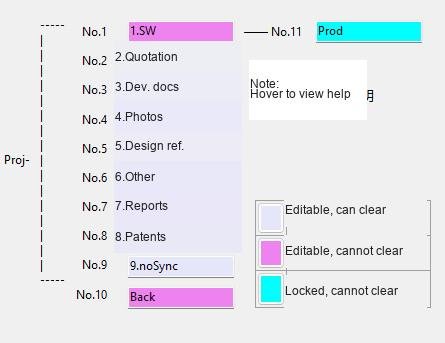
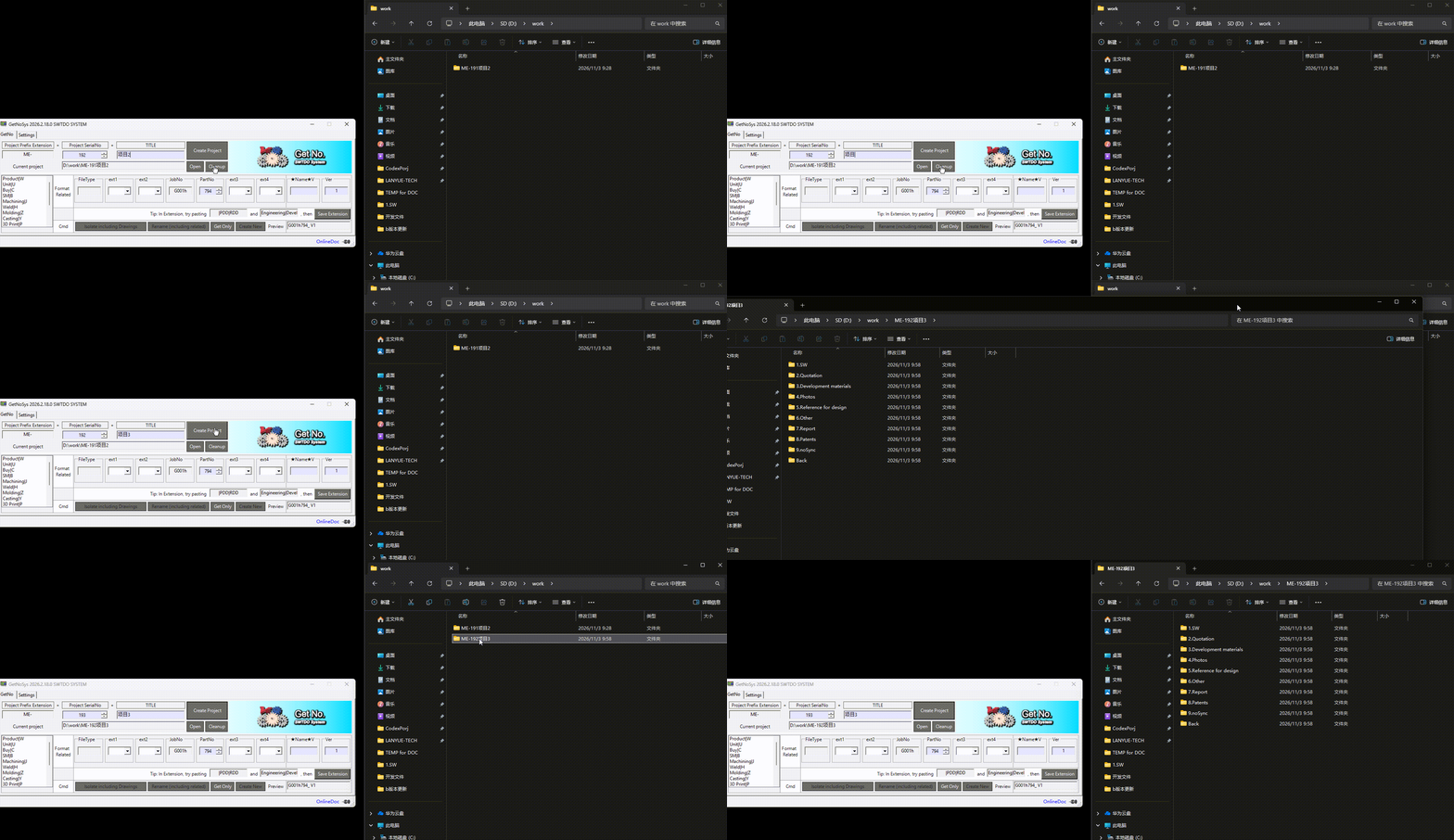
In the example above, SW, Prod, and Back are fixed SWTDO folders for original design files, production files, and backups. Other folders can be deleted or modified.
A file exists does not mean the resource is reusable.
Being unable to find a file is the beginning of a resource black hole and the first step toward losing data when staff change.
Filename Design Considerations
The following assumes that the global primary key is included in every filename.
Companies use widely different filename rules, and there is no universal rule that fits everyone. SWTDO does not impose one rule; it provides a programmable system that companies can configure.
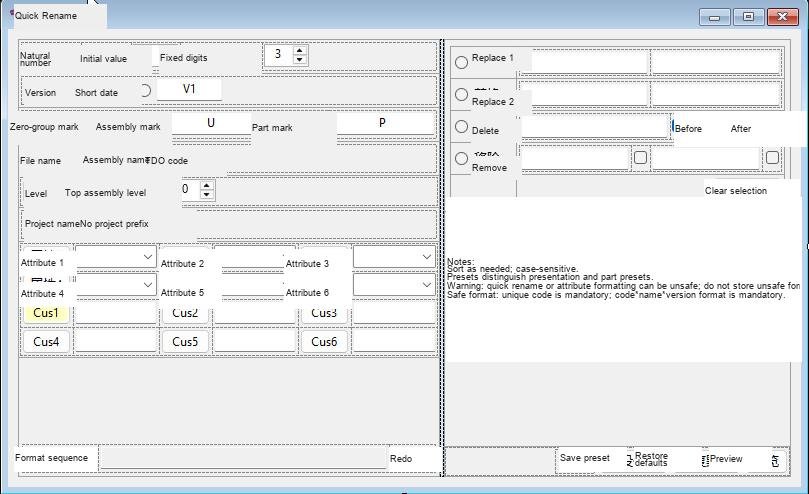
SWTDO breaks a filename into elements. Users combine those elements to meet their naming requirements.
The main element types are:
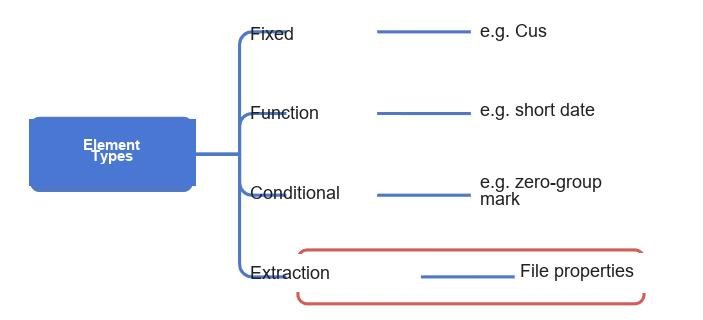
- Fixed: Output exactly what the user enters. Cus1 stays Cus1, a space stays a space, and a hyphen stays a hyphen.
- Function: Output information derived at runtime. A short-date element outputs today’s date; a project-name element outputs the current project name.
- Conditional: Output based on file type or position. A part outputs P, an assembly outputs U, and a file under the third assembly level outputs 3.
- Extraction: Read a value from file properties, provided the property follows the unique data source. Because properties can be accessed in several ways, the system is not limited to four combinations; the methods can be combined again.
With this element-combination model, no company filename format has been found impossible to implement. The only gap is a small number of SolidWorks-specific functions such as material, but equivalent implementations exist. Older BOM functions previously included a dedicated part-number extraction function.
MakeOrBuy is also a rough classification. “Make” can include welding shops, injection-molding shops, machining shops, and even fabric factories.
Car-cover design, solar-backpack design, and drone parachute design show how broad manufacturing categories can be. A rough category cannot solve distribution; users must be able to define their own fields. The goal is not to prescribe fields for users, but to let them define fields. This will be explained in more detail in BOM standardization.