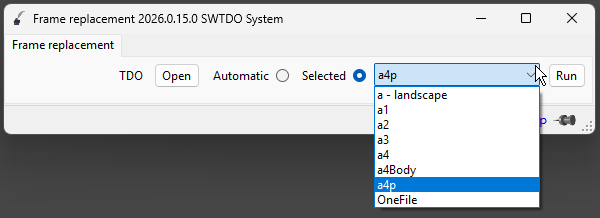
File names within this path cannot be adjusted. Additionally, when the current drawing size differs from A1-A4, the drawing format will default to a-landscape.slddrt. The size of this file can be adjusted when defining the title block for a specific drawing.
effect
Batch edit the title block of engineering drawings
How to add
You can add them manually, but we recommend using the add template for creating three views.
The creation of three-view drawings involves adding a template, which appends a series of files. The SheetFormat file is one of these files and will be added automatically. The drawing format file here will change automatically depending on the template selected when creating the three-view drawings.
Please note the “TDO” on the left side of the interface. This will automatically change when you select different templates from the Create Three Views menu.