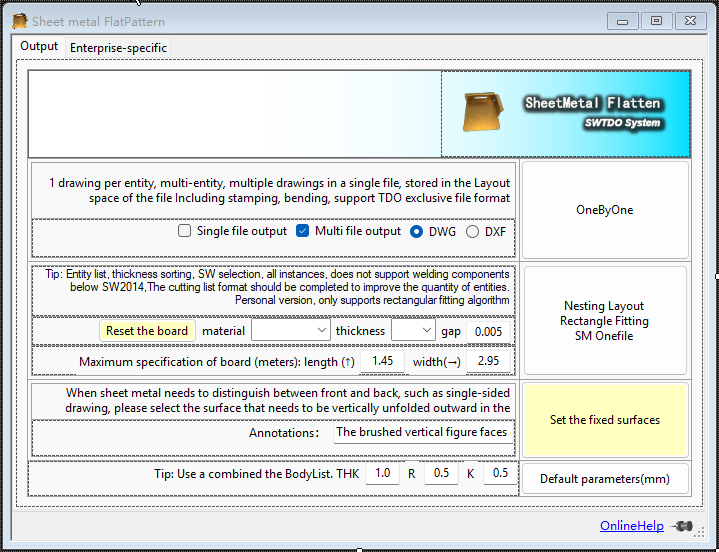
Let me explain the key points of the sheet-metal blanking nesting logic in SWTDO:Blanking nesting is called “Nesting” in English.There are several key points to consider in nesting:1, How large a raw sheet to useLaser cutting machines have their own maximum length and width, so when doing sheet-metal nesting you must first specify the limit size of the machine’s raw material. (Counter-example: you cannot load a 5-meter raw sheet into a cutting machine that only accepts 3 meters.) So does that mean that if you specify 3 meters, the nesting result will necessarily be 3 meters? Of course not. If all the sheets you need to cut add up to only 2 meters, then that extra 1 meter would be wasted material. So this sheet setting only gives the maximum limit for the nested size — it is not “set X and output X”; you have to combine it with the final output result. 2. Mixed nesting vs. single-set nesting:Purely from the standpoint of saving raw material, mixed nesting is always the most economical. Suppose a sheet-metal electrical control cabinet has 20 sheet-metal parts to cut. If you need 100 sets, the calculation basis for mixed nesting is 2,000 sheets rather than 20 — it is definitely more material-efficient than 20 sheets, because there are more matching possibilities. However, from the standpoint of production process and market demand, mixed nesting has major limitations:
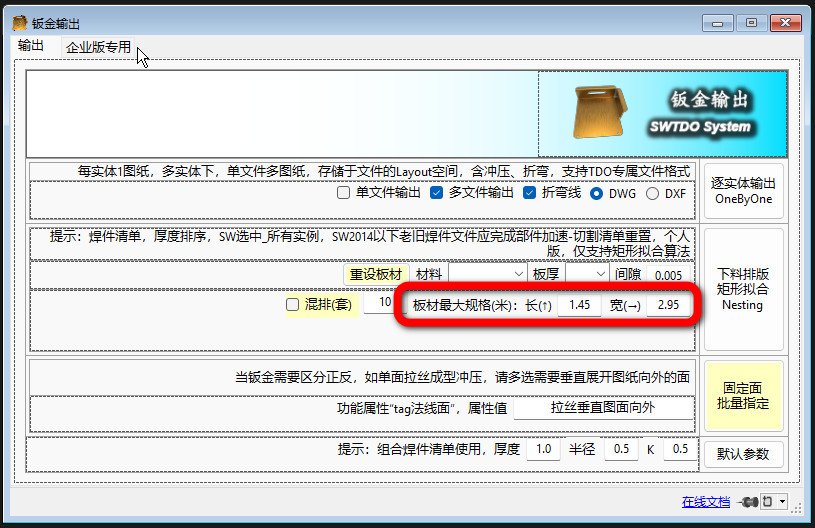 2. Mixed nesting vs. single-set nesting:Purely from the standpoint of saving raw material, mixed nesting is always the most economical. Suppose a sheet-metal electrical control cabinet has 20 sheet-metal parts to cut. If you need 100 sets, the calculation basis for mixed nesting is 2,000 sheets rather than 20 — it is definitely more material-efficient than 20 sheets, because there are more matching possibilities. However, from the standpoint of production process and market demand, mixed nesting has major limitations:
- Limitation 1: you must wait until all 2,000 sheets are fully cut before you can sort and assemble, rather than being able to assemble immediately each time one set (20 sheets) is cut.
- Limitation 2: if one sheet-metal part is cut badly, then once a defect occurs, the same sheet-metal part across all 100 sets will all be defective
- Limitation 3: if the order changes — adding a set, reducing a set, etc. — it will cause chaos in cutting.
- Limitation 4: it greatly increases the difficulty of sorting. Can the cost of assigning more sorting staff offset the material cost you save?
- Other software: bend-formed product → make an unfolded flat drawing → nest
- Rectangular nesting: bend-formed product → nest
- Reason 1: we have another auxiliary tool, Batch Fixed-Face Specification. This tool can predefine the front/back faces you want to control. (Note: this tool supports batch processing all sheet metal, and is one of the few multi-selection batch tools in SWTDO that supports “faces”.)
- Reason 2: we can batch-control sheet-metal thickness, bend factor, and bend radius, because all three strongly affect the unfolded drawing dimensions.