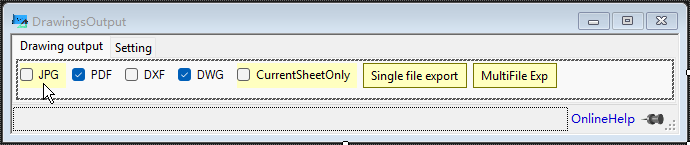
During assembly, it is also possible to directly export engineering drawings to DWG, DXF, PDF, and JPG formats
Object-oriented approach, distinguishing between single-file multiple drawings and single-file single drawing.
When dealing with multiple drawings in a single file, all drawings will be exported into a unique file in the specified format
Combination Techniques
The output of the engineering drawing is only the current drawing + the entity DWG of the entity list
Drawing Environment - Different from Others
In engineering drawings, it is supported to only apply to the current drawing.
This command is specifically for outputting single-entity drawings for entity lists.
Image Settings
Image settings are divided into high-definition 600dpi and standard 300dpi.
Current Drawing Only
In an engineering drawing environment, this option applies to single files with multiple drawings. It will only output the active drawing and not the other inactive drawings.
It should be noted that this output does not support the TDO standard format, as it does not meet the requirements for being inserted into the database.
Typical scenario:
When it is necessary to provide physical drawings to welding workers individually, these drawings are only temporary outputs and should not be used as company filing documents (because the current drawings alone mean the parts are incomplete).