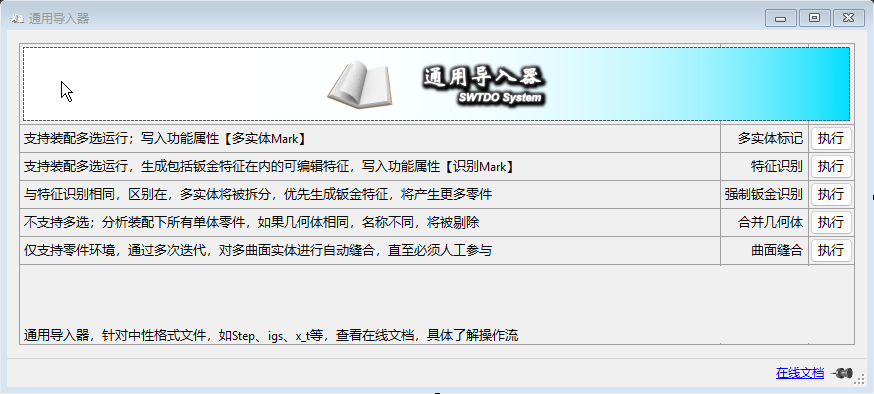
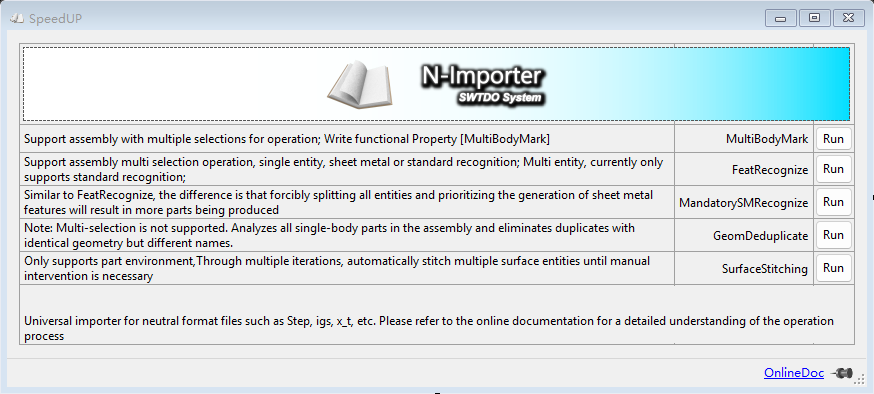
N-Import is mainly used to process neutral format files, such as STEP, IGS, X_T and other international universal format files.
Multi-body Marking
It will automatically identify any multi-bodies within an assembly (weldments are a special form of multi-body). The recognition result will write a TDO-specific functional property [Multi-body Mark] to the part.
合并几何体
几何相同,文件名不同的零件将被剔除,剔除顺序,以设计树在上为准。
Application Scenarios for Combine Geometry
Within an assembly, if there are parts with the same geometry but different file names, duplicates will be removed.
Which one is kept? It is determined by the FeatureManager design tree order; the one higher up is kept.
Can it judge if materials are different? No, the sole judging factor is geometry.
If you have 3 small tables and 5 large tables, all using the same 40×40 square tube, length 60, as legs, and they are assembled as weldment multi-bodies, you can do the following:
Save the assembly as STEP
Forced Sheet Metal Recognition (Why? Because Forced Sheet Metal Recognition can split multi-bodies)
Combine Geometry
This will yield the most ideal file structure.
Basic Understanding of Feature Recognition
First, you should know that this tool relies on SolidWorks’ built-in FeatureWorks. The higher the SW version, the stronger the recognition capability. Version 2022 is a turning point (more powerful), and 2026 may be the next one.
There are 2 basic methods for feature recognition: Standard Recognition and Sheet Metal Recognition.
Why does recognition fail?
Possibility 1: Non-human error, such as actual data transfer errors, broken faces, or missing data points.
Possibility 2: Human error. Drafting is computer-aided design of the physical world, but under human operation, the computer cannot perfectly replicate the physical world. For example, if you create a sheet metal bend with a sharp 90-degree inner corner, this is a very common human error. Feature recognition cannot recognize human errors.
Difference Between Feature Recognition and Forced Sheet Metal Recognition
From the results, both can generate standard features and sheet metal features.
The main difference lies in the handling of multi-body parts.
If recognition fails, the TDO functional property [Recognition Mark] will be written.
First, you should understand the method for repairing digital models that are primarily surface bodies. This method is independent of SWTDO and is purely a SolidWorks operation.
Simply put, it involves knitting surfaces to create solids. If a part consists of hundreds of surface bodies, manual operation is very difficult. This tool performs automatic knitting.
You should know: If a part is presented as surface bodies, it inevitably has geometric structural errors. This tool will significantly reduce the repair difficulty, but after it runs, manual repair is still required.
For example: For purely manual repair, you might need to perform 300 knit operations. After running this tool, you might still need 20 knit operations, and you will also need to manually patch surfaces.
Combined Application
The results of Feature Recognition or Forced Sheet Metal Recognition can be directly used for Create 3 View output.
If using Forced Sheet Metal Recognition, it is recommended to set the Create 3 View option to use the ‘Appearance’ dimensioning method.