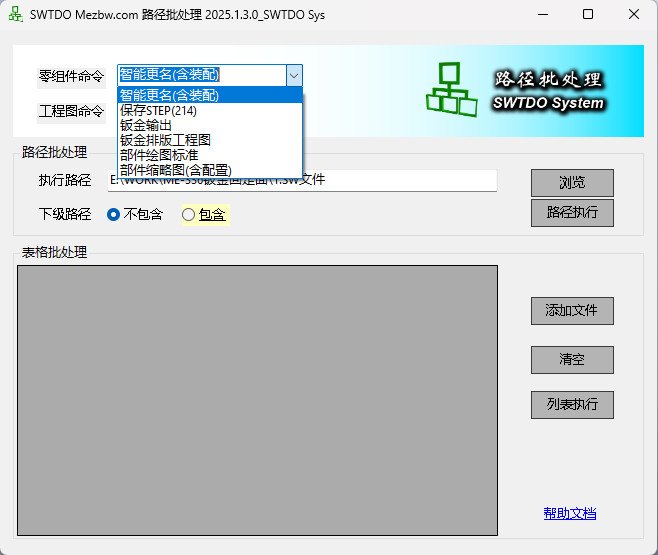
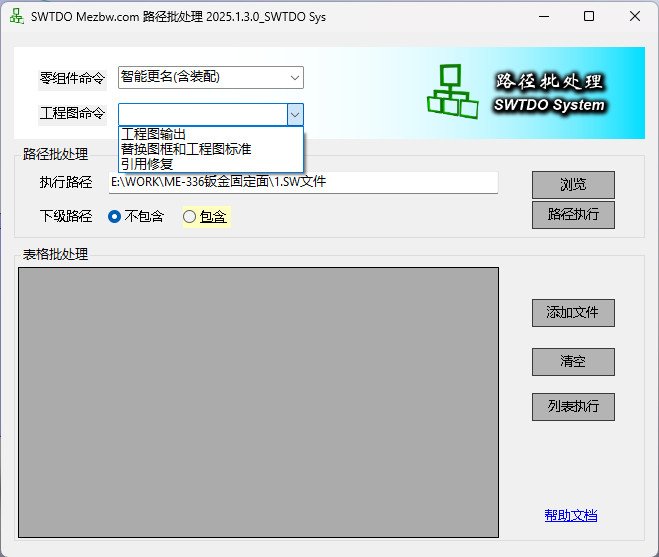
Two batch-processing modes across two major supported categories
PathBatch supports multi-level paths
Table batch processing supports multi-selection and adding
Part and assembly batch processing supports *.sldprt and *.sldasm
Drawing batch processing supports *.slddrw
Overview
Notes:
Note: All file batch-processing tools do not depend on a workspace. They can run on files at any location, and the corresponding output is therefore placed only in the same folder as the files.
Batch-extract thumbnails with support for multiple configurations
Batch-run SmartRename using GetNoSys rules
Batch-save STEP files, exporting each part individually
Batch-unfold sheet-metal parts, producing the same result as SMFlatten One by One
Batch-export drawings to DWG and other formats
Batch-replace title blocks and drawing standards
Batch-replace part drafting standards and drawing drafting standards
Component Thumbnails [Multi-Configuration]
This command can generate images at a specified resolution. Values above 900 are not recommended because they may cause issues.
The resolution sets only the height; the width depends on the model shape.
Image names support the special TDO standard CNV format.
Sheet-Metal Nesting Drawing
This command cannot be used with PathBatch, but it supports table batch processing.
Enterprise Edition Differences
In PathBatch for Enterprise Edition, if the current product has already completed ProductPreset for the parametric system, the MarkParam command starts automatically.